MESTRADO
MULTIMÉDIA - ESPECIALIZAÇÃO EM TECNOLOGIAS
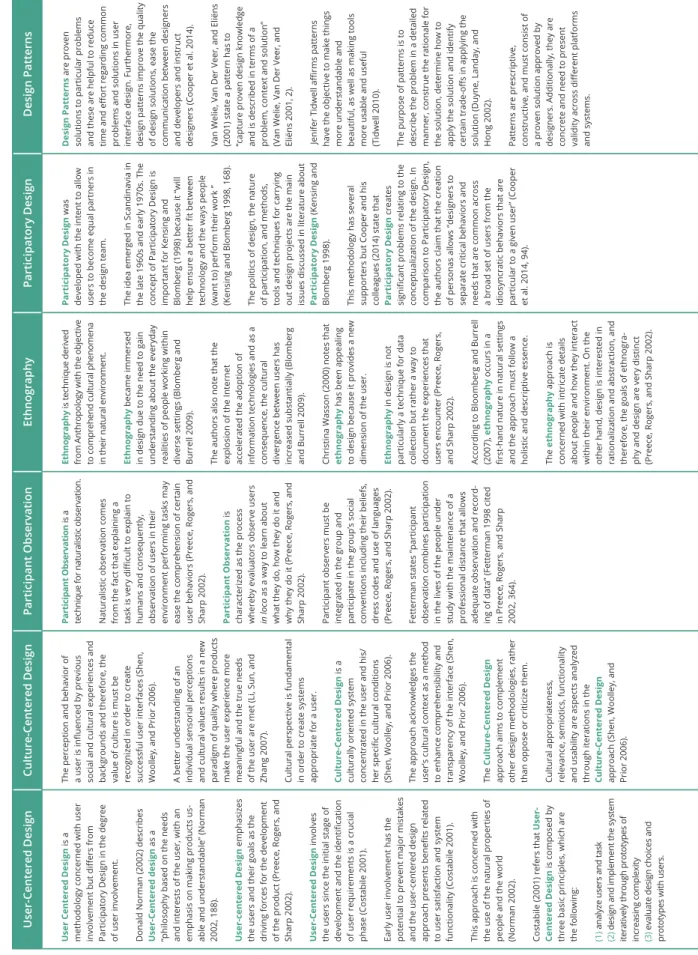
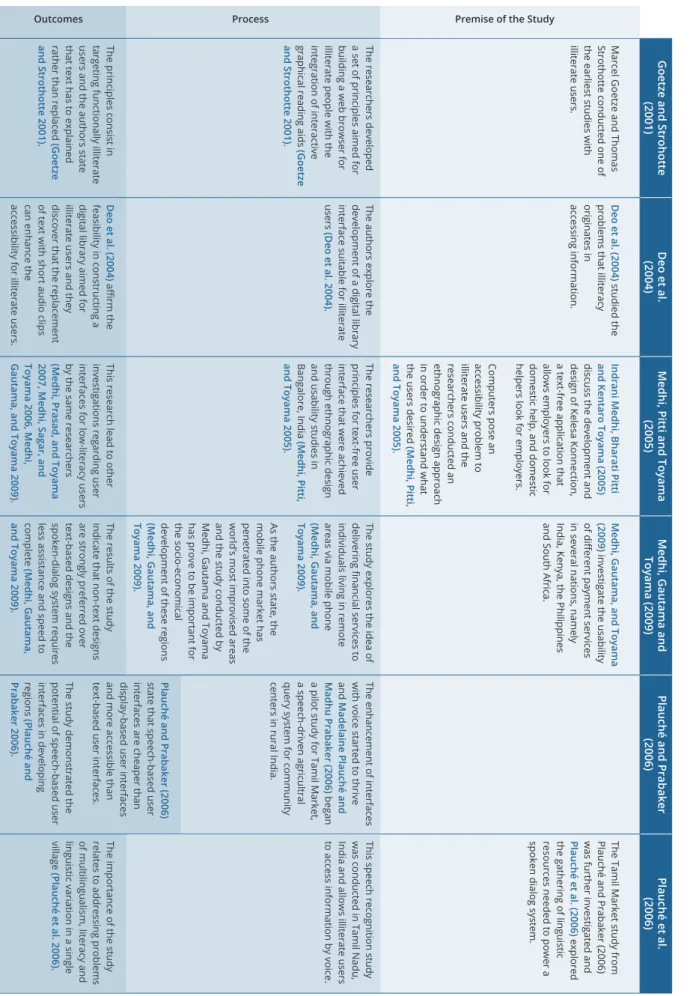
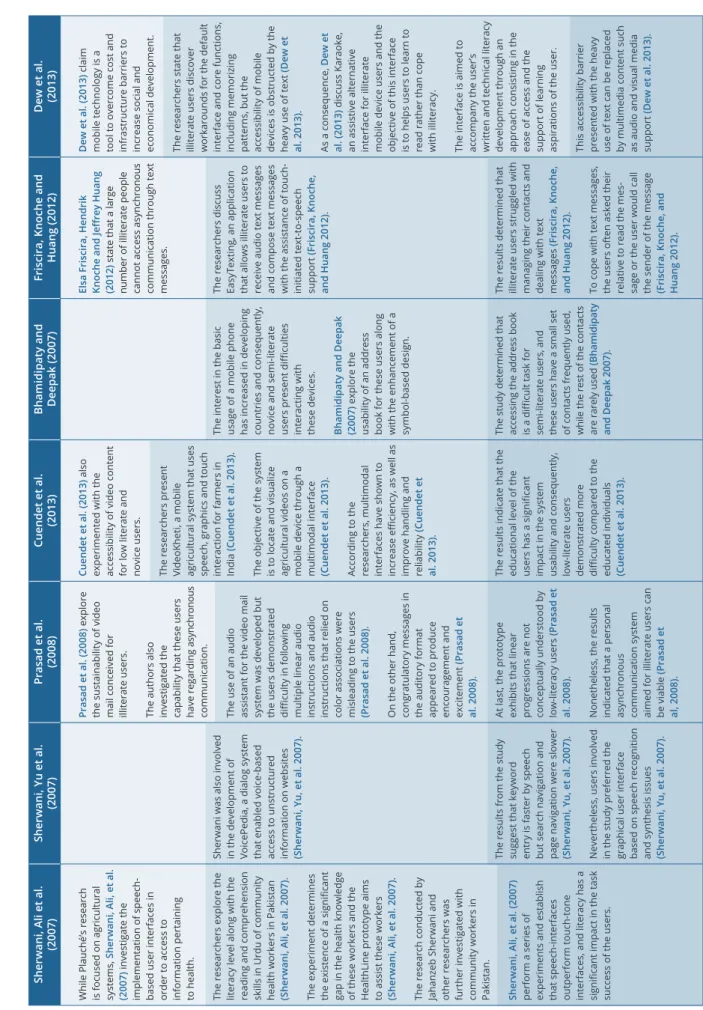
DESIGNING CULTURALLY
SENSITIVE ICONS FOR USER
INTERFACES :
AN APPROACH FOR THE
INTERACTION DESIGN OF
SMARTPHONES IN
DEVELOPING COUNTRIES
Marcos André Barroso Soares
M
2015 FACULDADES PARTICIPANTES: FACULDADE DE ENGENHARIA FACULDADE DE BELAS ARTES FACULDADE DE CIÊNCIAS FACULDADE DE ECONOMIA FACULDADE DE LETRASDesigning Culturally Sensitive
Icons for User Interfaces
An approach for the Interaction Design of
smartphones in developing countries
Professor José Miguel Santos Araújo Carvalhais Fonseca
Faculdade de Belas Artes da Universidade do Porto
Doutora Ana Maria Vieira Rebelo Correia de Barros
Associação Fraunhofer Portugal Research
Supervisors:
Abstract
The adhesion to smartphones in developing regions, mainly in the Sub-Saharan region, has been steadily growing. Developing countries are characterized by an array of culturally diverse users from different socio-economic and cultural backgrounds. Therefore, cultural diversity must be contemplated in order to ease the interaction process of the users with the system, but also to promote the usage of smartphones among novice users, illiterates and individuals from different cultural backgrounds. Moreover, solutions of Information and Communication Technologies aimed at supporting development in these regions are important, therefore making it essential to ease users’ recognition of and interaction with graphical user interfaces.
This study aimed to assess the level of icon recognition from users from the Sub-Sa-haran region and attempted to improve it through culturally sensitive icons, defined as icons based upon the preferences of the cultural group. In addition, a repository for cul-tural material is conceived in order to assist professionals to promote user-centered design techniques for culturally different groups. Besides having the ability to save space in the screen, icons often do not require reading and are immediately recognized once the user is familiarized with their representation, thus constituting an important factor on mobile application usability.
The results demonstrate that culture has a substantial impact on icon recognition and inter-pretation, and professionals must become familiarized with the representations and actions that are deemed common by the target audience. Furthermore, the study reveals the advantages and disadvantages of this approach, mentions the limitations professionals encounter in the development of solutions for developing regions, and discusses future work in the area.
Keywords: ICT4D, Icon Design, User-Centered Design, Mobile, User Experience, Us-ability, Culture
Acknowledgments
First of all, I want to thank my family, in particular my parents, José and Ana, as well as my grandparents for the constant support and sacrifices they made throughout the years in order for me to achieve my goals in life. In addition, I want to thank my second family, José and Javier Confesor, for treating me as one of your own and for teaching me valuable life lessons.
I also want to thank everyone at Associação Fraunhofer Portugal Research for the op-portunity and resources they granted me throughout the year. A special thank you to Maciej Surmacz, Juarez Souza, Bruno Giesteira, Eduardo Pereira and Silvia Rêgo for their valuable feedback and assistance.
Furthermore, I want to give a special thank you to Professor Miguel Carvalhais from the University of Porto, and Ana Barros from Associação Fraunhofer Portugal Research for their patience, guidance, support and dedication throughout the year.
At last, I want to acknowledge Miguel Solaro, Mrs. Williams, Luis Rodriguez, Carlos Soto, and all the other people that are special to me.
Table of Contents
Abstract3
Acknowledgments5
Table of Contents7
List of Tables11
List of Graphs13
List of Figures15
List of Acronyms19
1.Introduction22
1.1. Research Questions and Objectives 23
1.2. Contribution 24
1.3. Document Outline 25
2. Literature Review
30
2.1. Interaction Principles and Methodologies 30
2.1.1. Interaction Fields of Study 30
2.1.2. The Mobile Environment 33
2.1.3. Understanding the user 36
2.1.4. Usability and User Experience 39
2.1.5. Interaction Methodologies 42
2.1.6. Conclusion 45
2.2. Visual Perception and User Interface Design 46
2.2.1. User Interface Design 46
2.2.2. Designing for Illiterate Users 47
2.2.3. The Role of Visual Perception in Icon Design 55
2.2.4. Icon Design 59
2.2.5. Conclusion 61
2.3. Cultural influence and Cultural Interpretation 62
2.3.1. Culture 62
2.3.2. Patterns of Culture 63
2.3.3. The Influence of Culture and Cultural Interpretation 64
2.3.4. Metamodels of Culture 67
2.3.5. Cultural Models 71
2.3.6. Influence of Culture in Human-Computer Interaction 73
2.3.7. ICT and Cultural Factors 75
2.3.8. The Culturalization Approach 77
2.3.9. Conclusion 79
3. Methods
82
3.1. Research Setting 82
3.2. Research Sample and Data Sample 82
3.3. Research Approach 85
3.4. Research Methodology 88
3.5. Research Design 89
3.6. Research Process 89
3.7. Data Collection Methods 91
3.8. Data Analysis Methods 105
3.9. Summary 106
4. Findings and Results
110
4.1. Introduction 110 4.2. Stage One 110 4.2.1. Phase One 110 4.2.2. Phase Two 118 4.2.3. Phase Three 125 4.3. Stage Two 132 4.3.1. Phase Four 132 4.3.2. Phase Five 136 4.4. Stage Three 138 4.4.1. Phase Six 138 4.5. Summary 144 5. Conclusions
148
5.1. Summary of Findings and Conclusions 148
5.2. Limitations 152
5.3. Future Work 153
References
156
Appendix A : Overview of Literature Review regarding Cultural
Influence and Cultural Interpretation
166
Appendix B : Overview of Literature Review regarding Illiteracy
178
Appendix C : Overview of Literature Review regarding Icon Design
184
Appendix D : Comparative Analysis of Mobile Operating Systems
and their respective icons
186
Appendix E : Paper Version for Phase One and Phase Two of the
Appendix F : Paper Version for Phase Three of the
Experimental Procedure
196
Appendix G : Paper Version for Phase Four and Phase Five
of the Experimental Procedure
206
Appendix H : Quick User Guide to Okavango
210
Appendix I : Usability Test Protocol for TIQSI
236
Appendix J : Usability Test Report for TIQSI
250
Appendix K : Video Demonstration of the TIQSI platform
296
List of Tables
Table 01. Interaction Methodologies and Techniques 44
Table 02. User Interfaces for Semi-literate and Illiterate Users 51
Table 03. Information Systems for Low-literacy Users (1 of 2) 53
Table 04. Information Systems for Low-literacy Users (2 of 2) 54
Table 05. Metamodels of Culture 70
Table 06. Cultural Models 72
Table 07. Information Architecture for TIQSI 103
Table 08. Table of Task Completion per icon 115
Table 09. Table of Correct Answers per icon 116
Table 10. Color Association of the Portuguese Group 127
Table 11. Color Association of the Cape Verdean Group 128
Table 12. Color Association of the São Tomean Group 129
Table 13. Color Association Table 130
Table 14. Comparison between the task completion rate of
Phase One and Phase Four 134
Table 15. Comparison between the percentage of correct
answers of Phase One and Phase Four 134
Table 16. Task Completion of icons in Phase One 149
Table 17. Distribution of correct and incorrect answers of
icons in Phase One 149
Table 18. Comparison of Task Completion Rates between
Phase One and Phase Four 151
Table 19. Comparison of Percentage of Correct Answers
List of Graphs
Graph 01. Task Completion of Phase One by group 114
Graph 02. Distribution of correct and incorrect answers of
the Portuguese Group 115
Graph 03. Distribution of correct and incorrect answers of
the Cape Verdean Group 115
Graph 04. Distribution of correct and incorrect answers of
the São Tomean Group 116
Graph 05. Overall Preference of the Participants 120
Graph 06. Preference Distribution of the Portuguese Group 120
Graph 07. Preference Distribution of the Cape Verdean Group 121
Graph 08. Preference Distribution of the São Tomean Group 121
Graph 09. Overall Disapproval of the Participants 122
Graph 10. Percentage of the least favorite operating systems of
the Portuguese Group 122
Graph 11. Percentage of the least favorite operating systems of
the Cape Verdean Group 123
Graph 12. Percentage of the least favorite operating systems of
the São Tomean Group 123
Graph 13. Task Completions Rates of Participants 139
Graph 14. Total Number of Errors per Participant 139
Graph 15. Total Deviations per Participant 140
Graph 16. Total Assists Per Participant 140
Graph 17. Summary of the Results 141
Graph 18. SUS Global Score of the Participants 142
Graph 19. Overall Preference of the Participants in Phase Two 150
Graph 21. Summary of the Results from the Usability Testing
conducted in Phase Six 151
List of Figures
Figure 01. Research Approach of the study 23
Figure 02. Law of Balance 57
Figure 03. Law of Continuation 57
Figure 05. Law of Figure-ground 57
Figure 04. Law of Closure 57
Figure 06. Law of Focal Point 58
Figure 07. Law of Similarity 58
Figure 08. Law of Isomorphic Correspondence 58
Figure 09. Law of Prägnanz 58
Figure 10. Law of Proximity 58
Figure 11. Law of Simplicity 58
Figure 12. Law of Unity/Harmony 59
Figure 13. Location of the Sub-Saharan immigrants 83
Figure 14. Location of the Sub-Saharan residents 83
Figure 15. Structure of the Research Sample 84
Figure 16. Research Approach of the Study 86
Figure 17. Research Design of the study 89
Figure 18. Broad analysis regarding the issues to consider
during the study 90
Figure 19. Overview of the Research Stages and Phases 92
Figure 20. Paper version for Phase One and Two 93
Figure 21. Phase One in Okavango 93
Figure 22. Paper Version for Phase One and Two 94
Figure 24. Paper Version for Phase Three 95
Figure 25. Phase Three in Okavango 95
Figure 26. Paper Version for Phase Four 96
Figure 27. Paper Version for Phase Five 97
Figure 28. Screenshot of the TIQSI platform 98
Figure 29. Affinity Diagram to determine the Information Architecture
of the platform 99
Figure 30. The three branches comprising TIQSI : Country, Protocols
and FAQs 100
Figure 31. Overview of the Country branch 100
Figure 32. Overview of the Protocols branch 101
Figure 33. Fields comprising the Artistic Foms and Traditions field 101
Figure 34. Overview of the Social Data field 102
Figure 35. Overview of the Shared Values field 102
Figure 36. Set of Add icons from Android, Blackberry OS, Firefox OS,
Windows Phone and iOS in their respective order 111
Figure 37. Set of Alarm icons from Android, Blackberry OS, Firefox OS,
Windows Phone and iOS in their respective order 111
Figure 38. Set of Battery icons from Android, Blackberry OS, Firefox OS,
Windows Phone and iOS in their respective order 111
Figure 39. Set of Bluetooth icons from Android, Blackberry OS, Firefox OS,
Windows Phone and iOS in their respective order 111
Figure 40. Set of Calendar icons from Android, Blackberry OS, Firefox OS,
Windows Phone and iOS in their respective order 111
Figure 41. Set of Contacts icons from Android, Blackberry OS, Firefox OS,
Windows Phone and iOS in their respective order 111
Figure 42. Set of Delete icons from Android, Blackberry OS, Firefox OS,
Windows Phone and iOS in their respective order 112
Figure 43. Set of Download icons from Android, Blackberry OS, Firefox OS,
Figure 44. Set of Email icons from Android, Blackberry OS, Firefox OS,
Windows Phone and iOS in their respective order 112
Figure 45. Set of Message icons from Android, Blackberry OS, Firefox OS,
Windows Phone and iOS in their respective order 112
Figure 46. Set of Phone icons from Android, Blackberry OS, Firefox OS,
Windows Phone and iOS in their respective order 112
Figure 47. Set of Search icons from Android, Blackberry OS, Firefox OS,
Windows Phone and iOS in their respective order 112
Figure 48. Set of Settings icons from Android, Blackberry OS, Firefox OS,
Windows Phone and iOS in their respective order 113
Figure 49. Set of Share icons from Android, Blackberry OS, Firefox OS,
Windows Phone and iOS in their respective order 113
Figure 50. Set of Signal icons from Android, Blackberry OS, Firefox OS,
Windows Phone and iOS in their respective order 113
Figure 51. Set of Wi-fi icons from Android, Blackberry OS, Firefox OS,
Windows Phone and iOS in their respective order 113
Figure 52. Culturally Sensitive Add icon for the São Tomean group 132
Figure 53. Culturally Sensitive Download icon for the São Tomean group 132
Figure 54. Culturally Sensitive Email icon for the São Tomean group 133
Figure 55. Culturally Sensitive Search icon for the São Tomean group 133
Figure 56. Culturally Sensitive Share icon for the São Tomean group 133
Figure 57. Culturally Sensitive Signal icon for the São Tomean group 133
List of Acronyms
CRT Cathode Ray Tube
CSCW Computer-Supported Cooperative Work
CSS3 Cascading Style Sheets 3
DNA Deoxyribonucleic Acid
HTML5 HyperText Markup Language 5
HCI Human-Computer Interaction
ICT Information and Communications Technology
ICT4D Information and Communications Technology for Development
ISO International Organization for Standardization
ITEA International Technology Education Association
JSON JavaScript Object Notation
MS-DOS Microsoft Disk Operating System
OECD Organisation for Economic Co-Operation and Development
SQL Structured Query Language
SUS System Usability Scale
UDC Universal Decimal Classification
UNESCO United Nations Educational, Scientific and Cultural Organization
22
1.Introduction
Culture is an intrinsic element of human life able to influence the knowledge of individu-als, but it is hard to describe this complex context. Cultural diversity leads to different views and assumptions and these changes shape an individual (Chen, Mashhadi, Ang, & Harkrider, 1999). Culture can be seen as learned and shared behavior originating patterns in think-ing, feeling and acting between individuals, and consequently, this element of human life is presented everywhere.
The implementation of culture in technological solutions has been a topic of discussion for some time. Despite cultural diversity being evident in our everyday actions, the plethora of cultural values, customs and traditions are often forgotten or unacknowledged when tech-nological solutions are developed. On the other hand, this document advocates towards the recognition that cultural elements must be acknowledged in order to develop solutions with better usability and a greater user experience. A fair amount of researchers assure that culture must be recognized and implemented in technological solutions. For instance, Vanessa Evers and Donald Day (1997) indicate that user interfaces targeted at culturally different users must acknowledge and accommodate cultural differences. Furthermore, researchers have developed cultural models to cope with cultural differences. Unfortunately, users from different cultures still display difficulties in interacting with technological solutions, and these difficulties impact the adoption and sustainability of ICT solutions.
In the current years, cultural diversity is becoming more important than ever due to the growth of smartphones in developing regions. These regions not only present differences with regards to developed nations, but also within themselves. Developing regions also pose technological and environmental challenges, such as humidity and power outages. Most importantly, users from developing regions are more heterogeneous than in developed countries, and technological proficiency among users may vary. In addition, illiteracy is also more prevalent in these regions. Therefore, these problems must be acknowledged and dealt with it as a way to ease the interaction process of these users. Since a substantial amount of work has been performed in India, the Sub-Saharan region of Africa is the main geographical setting of this study.
Evaluating and redesigning every single element of a graphical user interface is simply not feasible due to time limitations and, consequently, icon design became the focus of the research. Icon design is an integral part of user interface design, and it is perhaps the most noticeable element in a user interface due to the heavy reliance it has on visual perception. The research documented in this dissertation assesses the recognition and interpretation of individuals from different cultural backgrounds, establishes preference levels regarding aesthetic elements constituent of an icon, and determines whether or not the icons of mobile operating systems need to be redesigned for these regions. In addition, the research presents a repository developed in order to assist professionals in future projects that address developing regions. Despite the research being a small milestone in the process of developing culturally sensitive user interfaces, it provides valuable insight regarding methods and approaches that professionals must follow when designing solutions for individuals of different cultures.
23
1.1. Research Questions and Objectives
In order to assure every objective of the dissertation was properly investigated, research questions were developed and answered in the fourth chapter of the document. The research questions are segmented by phases of research and these questions are the following:
Phase One: Explore the level of recognition of icons utilized in mobile operating system
RQ1: Do African individuals easily understand the icons used in mobile operating systems? RQ2: Are African individuals without any contact with mobile technology and unable to read and write able to recognize the icons used in mobile operating systems?
RQ3: Is there an evident level of recognition associated to a specific icon?
24
Phase Two: Determine preference patterns of the users regarding the icons used in mobile operating systems
RQ4: Is there a preference level associated with a specific mobile operating system? RQ5: Is there a correlation between culture based on nationality and the preferred operating system of the participants?
Phase Three: Establish preference levels of visual elements constituent of an icon
RQ6: Can the preference of the users pertaining to the elements constituents of an icon be correlated to the nationality of individuals?
Phase Four: Explore the recognition level of culturally sensitive icons
RQ7: Are African individuals more comfortable with culturally sensitive icons than with existing icons from mobile operating systems?
RQ8: Do African individuals recognize and interpret culturally sensitive icons more easily than existing icons from mobile operating systems?
Phase Five: Comparative analysis between culturally sensitive icons and icons from mobile operating systems
RQ9: Do the users prefer culturally sensitive icons or existing icons from mobile operating systems?
RQ10: Can the preference level between the two types of icons be associated with certain descriptive variables?
Phase Six: Develop a repository system for user-centered approaches
RQ11: Can a repository system assist in the creation of new culturally sensitive icons? RQ12: Which elements should be considered as intrinsic in a repository system for user-centered approaches?
1.2. Contribution
The research conducted in this document was designed in order to gain insight about the impact of culture in the user experience and usability of graphical user interfaces. The study focuses on icon recognition and comprehension, but also addresses approaches to cope with misconceptions and misrepresentations of not only icons, but also other user interface ele-ments. In other words, the research contributes for the development of user-centered design in developing regions.
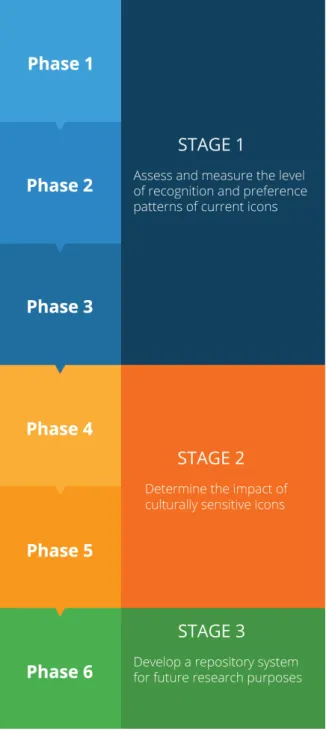
The study is comprised by six phases, and each phase contributes to different aspects of the study. The first phase assesses the recognition level of icons utilized in mobile operating systems. The second one aims to establish preference patterns from the users regarding icons from mobile operating systems. The third phase establishes preference levels of elements constituents of an icon. The subsequent phase explores the recognition level of culturally sensitive icons, and the fifth phase is a comparative analysis between culturally sensitive icons and icons from mobile operating systems. The last phase is the development of a repository for future research purposes.
25
Regarding the content of the study, the research data are insightful but the methods im-plemented also contribute to the development and design of culturally sensitive icons. The methods established in this document contribute to the notion that culture has a substantial impact in recognition and comprehension of user interfaces, and these experiments assist in understanding which aspects of graphical user interfaces need to be remodeled in order to improve the user experience of culturally different individuals.
In addition, the research is supported by an extensive literature review, which provides context regarding the challenges and characteristics of developing ICT solutions for a large array of users in developing nations. The literature review not only explains the relevance of the interactions fields of study, but also provides an overview to visual perception and icon design. Moreover, the role of culture in interpretation is explained to detail, and the advantages of incorporating cultural values and other aspects in ICT4D solutions are described. In addition, an historical contextualization about the cultural approaches in Human-Computer Interaction is provided in the literature review.
1.3. Document Outline
The dissertation is structured in five chapters. The content of each chapter is summarized below.
Chapter One: Introduction
The first chapter describes the motivation and importance of the research and defines the research focus of the dissertation. The research questions and objectives are presented and the contributions of the study are listed.
Chapter Two: Literature Review
The second chapter describes previous research and bridges the conclusions from these studies with the focus of our study. The chapter is comprised by three sub-chapters, which are summarized below:
Interaction Principles and Methodologies
This sub-chapter briefly describes the interaction fields of study and, subsequently, specifies the advantages of the mobile environment. Afterwards, the role of conceptual models, metaphors, idioms, affordances, constraints and conventions in the interaction process are defined. In addition, the sub-chapter promotes the importance of usability and user experience, and demonstrates the interaction methodologies necessary to cope with cultural diversity.
Visual Perception and User Interface Design
The subsequent sub-chapter mentions the evolution of graphical user interfaces and refers special considerations professionals are required to have when designing for developing countries, namely the appropriate method to ease the interaction process of illiterate users with the system. Afterwards, the importance of visual perception in icon design is referred and the sub-chapter ends with a dissection of icon design.
26
Cultural Influence and Cultural Interpretation
The last sub-chapter defines culture, mentions patterns of culture and provides an overview of the influence that culture has on the interpretation of the users. Moreover, metamodels of culture and models of culture are discussed, and cultural influence in Human-Computer Interaction is examined. The sub-chapter also addresses the relationship of Information and Communication Technologies and cultural factors, and explains the culturalization approach.
Chapter Three: Methods
The third chapter of the dissertation explains the methods implemented during the ex-perimental procedure. The chapter describes the research setting, reveals the data sample, and demonstrates the research approach. Afterwards, the research methods are described, followed by the research design and the research process of the study. Finally, the data col-lection methods and data analysis methods are explained to the reader.
Chapter Four: Findings and Results
The fourth chapter is responsible for noting and explaining the results of the experimental procedure. Each phase of the research is briefly summarized, the participants are character-ized and the results are presented. In addition, the findings are discussed and conclusions pertaining to each phase are outlined.
Chapter Five: Conclusions
The last chapter of the dissertation aims to summarize the study mentioned in the previous chapters. The chapter also discusses the technical, cultural, time and distance limitations encountered throughout the study. Moreover, future work regarding the study is mentioned.
Literature
Review
Chapter Two
30
2. Literature Review
2.1. Interaction Principles and Methodologies
2.1.1. Interaction Fields of Study
The study of interaction is essential in order to develop products that enhance interactivity between the user and the system. This section discusses two fields of study, Human-Computer Interaction and Interaction Design, and the relationship between them is explained. The role of Human-Computer Interaction is often unclear, nonetheless, the field has an important relationship with Interaction Design. As Lowgren (2001) affirms, the importance of Human-Computer Interaction increases as information technology becomes more pervasive in the life of people. While Human-Computer Interaction focuses on identifying and understanding usability problems in task-oriented computer systems, the field of Interaction Design is responsible for shaping interactive systems with particular emphasis on their use qualities (Lowgren 2001).
Human-Computer Interaction
Human-Computer Interaction does not have a standard definition, mostly due to its multidis-ciplinary approach, but the field can be described as a “discipline concerned with the design, evaluation and implementation of interactive computer systems for human use and with the study of major phenomena surrounding them” (Hewett et al. 1992, 5). Despite the discrepancy and lack of consensus regarding the field’s definition, Human-Computer Interaction can be interpreted as design to produce a fit between the user, the machine and the required services in order to attain a particular level of performance in the quality and optimality of services (Karray et al. 2008). The field derives from several disciplines with particular emphasis on computer science, psychology, sociology and anthropology, and industrial design (Hewett et al. 1992). Karray et al. (2008) state that Human-Computer Interaction was based on the premise that most sophisticated machines are worthless unless humans can use them properly. Consequently, functionality and usability are the core foundations of Human-Computer Interaction (Karray et al. 2008).
Independently of the lack of consensus in defining Human-Computer Interaction, the field is characterized by three components: the human, the computer and the interaction process. These are fundamental components of an interactive system. The human user is the element that computer systems are designed to assist through a process of interaction. The human user is the central character of an interactive system and possesses limited capacity in information processing (Dix et al. 2004). The interaction between a person and the environment occurs through the delivery and collection of information through input and output channels. Dix et al. (2004) affirm that the input that humans acquire occurs through the senses and the output through the motor control of the effectors. The authors demonstrate the existence of several input and output channels, particularly the visual channel, the auditory channel, the haptic channel and movement (Dix et al. 2004). The visual channel is the primary source of information for the average person and Human-Computer Interaction researchers and practitioners are concerned with visual perception aspects, visual processing capabilities and limitations, and the reading process (Dix et al. 2004). Regarding visual perception, Human-Computer Interaction researchers and practitioners are concerned with aspects of brightness, size, depth, and color perception (Dix et al. 2004). The information from these channels is stored in the memory of users. (Dix et al. 2004) indicate the existence of three types of memory, namely sensory memory, short-term memory and long-term memory. Human-Computer Interaction is not only concerned in the perceptual and cognitive abilities of the human
31
user, but also with the influence of emotion on human capabilities (Dix et al. 2004). Emotions are fundamental components of human beings and the relationship between humans, computers and emotions has become increasingly more important in Human-computer Interaction. Scott Brave and Clifford Nass (2007) note that emotions are an integral part of Human-Computer Interaction and consequently, any interface that ignores the emotional state of the user or fails to manifest the appropriate emotional state, dramatically impacts the performance of the same and subsequently can be perceived as incompetent and socially inept. The use of multimodal interfaces provides a wider range of emotions compared to purely textual interfaces (Cassel, Sullivan, Prevost & Churchill, 2000 cited in Brave and Nass 2007).
The second component of an interactive system is the computer. Similar to the human user, the computer is composed by input and output devices for interactive use. Regarding input devices, Dix et al. (2004) mention the use of text entry devices (e.g. keyboard), pointing (e.g. touchpad) and 3D interaction devices. Ken Hinckley states input devices are responsible for sensing the physical properties of people, places, or things (Hinckley 2007). Hinckley identifies several modalities of interaction that enhance interfaces, such as speech and multimodal input, bimanual input, pen and gesture input, whole hand input, background sensing techniques and multitouch tables and screens (Hinckley 2007). On the other hand, Andrew D. Wilson discusses the use of sensors and other input methods for interaction based on recognition (Wilson 2007). Sensors convert physical signal into an electrical signal that can be manipulated on a computer in a symbolical manner and the author discusses the impact of sensors in interactive applications, such as occupancy and motion sensors, range sensors, positional sensors, gaze tracking and eye tracking systems, speech sensors, gestural sensors and brain-computer interfaces (Wilson 2007). Stephen Brewster defends that the combination of visual and auditory feedback in user interface forms a power-ful interaction tool due to the fact that the visual system provides detailed information in a small area of focus, while the auditory system is responsible for providing general information from the environment (Brewster 2007).
The interaction process is the last component of Human-Computer Interaction. This component is responsible for the communication between the human user and the computer system. Dix et al. (2004) affirm that interaction takes place within a social and organizational context that affects the user and the system. Ergonomics is responsible for interpreting the physical characteristics of an interaction in Human-Computer Interaction and how these interactions influence the effectiveness of the same (Dix et al. 2004).
Human-Computer Interaction researchers and practitioners have to be concerned with the three components that characterized Human-Computer Interaction. Karray et al. state, “the complexity of the degree of the involvement of a human in interaction with a machine is sometimes invisible compared to the simplicity of the interaction method itself”(Karray et al. 2008, 139). The authors also demonstrate that user activity in Human-Computer Interaction is composed by three different levels, physical, cognitive and affective (Karray et al. 2008). The mechanics of the interaction between the user and the machine characterizes the physical aspect, while the understanding and interaction of the users with the system composed the cognitive aspect. At last, the affective aspect consists in creating a pleasurable experience to the user and incentivizes the user to continue using the machine by changing attitudes and emotions of the user (Karray et al. 2008).
Human-Computer Interaction lacks a unified theory but is characterized by strong principles aimed to the performance of users, computers and the tasks (Dix et al. 2004). The principles assist in the development of successful products and in order for a product to be successful, it needs to be useful, usable and used (Dix et al. 2004). In other words, a system must accomplish what is required in an easy and natural way in order to incentivize people to use it. Dix et al. (2004) state
32
that the principles that Human-Computer Interaction is based on have the objective to create beautiful and/or novel interfaces that “are artistically pleasing and capable of fulfilling the tasks required” (Dix et al. 2004, 6). In order to obtain a coexistence of art and science into a suc-cessful whole, practitioners need to be inspired and learn from past examples, both good and bad. Therefore, Human-Computer Interaction is not only about the functionality and usability of a system, but also how and why a system operates and works.
Interaction Design
Human-Computer Interaction is mostly concerned with usability issues and subsequently, interactive systems are often aimed to working effectively from an engineering perspective, and the users for which the system is designed for are disregarded at times. Human-Computer Interaction and Interaction Design are two fields concerned with designing systems in order to match the user’s goals, but each field presents a different focus and methodology. The objective of interaction designers is to develop easy, effective and enjoyable interactive products from a user’s perspective (Preece, Rogers, and Sharp 2002). Therefore, Terry Winograd describes Interaction Design as the “design of spaces for human communication and interaction” (Wino-grad 1997 cited in Preece, Rogers, and Sharp 2002, 6). Meanwhile, Preece, Rogers and Sharp (2002) identify Interaction Design as the “design of interactive products that support people in their everyday and working lives” (Preece, Rogers, and Sharp 2002, 6). On the other hand, Moggridge and Atkinson (2007) provide a narrow definition of Interaction Design, which is interpreted as “the design of the subjective and qualitative aspects of everything that is both digital and interactive, creating designs that are useful, desirable and accessible” (Moggridge and Atkinson 2007, 659), as well as a broader definition, which is “the design of everything that is both digital and interactive” (Moggridge and Atkinson 2007, 660).
Interaction Design can also be described as the design of product and system behavior (Cooper et al. 2014). Victor Papanek characterizes Design as the “conscious and intuitive purpose to impose meaningful order” (Cooper et al. 2014, 3) and Interaction Design aims to avoid the consequences of poor product behavior. Cooper and his colleagues (2014) describe that the user’s needs and desires are often ignored in digital products and products that lack appropriate design blame the users for making mistakes, assume that the users are technologi-cal literate, make the navigation and comprehension of the system difficult for unnecessary reasons and most importantly, require humans to do the heavy lifting. In order to avoid these consequences, one of the central concerns of Interaction Design is to develop usable interac-tive products that provide a good user experience through effecinterac-tiveness and ease of learning (Preece, Rogers, and Sharp 2002). Digital Products tend to fail due to four particular reasons, which are misplaced properties on product management and development teams, ignorance about the real users, conflicts of interest and the lack of a design process (Cooper et al. 2014). Relationship between Human-Computer Interaction and Interaction Design As previously mentioned, Human-Computer Interaction focuses on identifying and under-standing usability problems in task-oriented computer systems, while the field of Interaction Design is responsible for shaping interactive systems with particular emphasis on their use qualities (Lowgren 2001). Interaction Design emerged due to the increasing importance of designing spaces for human communication and interaction focused on people, rather than machinery (Winograd, 1997 cited in Lowgren 2001). In other words, interaction design is more concerned with the users and their interactive behaviors. Lowgren (2001) states the traditional quality criterion for Human-Computer Interaction has been the usability aspects, such as task efficiency and the absence of usability issues, and since usability is strongly associated with
33
user interface, Human- Computer Interaction is concerned with mediating the transactions oc-curring between the user and the system. On the other hand, Interaction Design focuses on use qualities, which comprise the whole system and the whole use situation (Lowgren 2001). Therefore, Interaction Design entails structural, functional, emotional, aesthetically and ethical aspects of the use context and these particular aspects cannot be simplified in a general way (Lowgren 2001).
2.1.2. The Mobile Environment
Mobile devices are optimal for the purposes of this dissertation due to being personal and portable devices. The definition of mobile varies according to perspective, but from a fundamen-tal perspective, the notion of mobile does not refer to the application or the device, but rather to the user (Ballard 2007). Mobile devices can range from personal data assistants, game players, book readers and so forth, but the epitome of this category are mobile phones (Ballard 2007). Hoober and Berkman (2011) note that the evolution of mobile devices can be divided in four eras: voice, paging and text, pervasive network connectivity and general computing devices. Current mobile devices are small, portable, wireless connected, interactive and contextually aware (Hoober and Berkman 2011).
Mobile Devices
Brian Fling (2009) separates the history of mobile devices into five eras: the Brick Era, the Candy Bar Era, the Feature Phone Era, the Smartphone Era and the Touch Era. Fling (2009) notes “the devices of tomorrow will be able to leverage location, movement, and the collective knowledge of mankind, to provide people’s lives with greater meaning” (Fling 2009, 12), which is something occurring in modern times.
In Mobile First, Luke Wroblewski (2012) notes that products and systems must be designed primarily for mobile devices. Mobile devices are varied in quantity, but smartphones are the focus of this dissertation due to their explosive growth in recent years. Smartphones present a fast adop-tion rate and the devices have become more and more affordable over time (Wroblewski 2012).
A significant difference between desktop and mobile interfaces is the interaction methods. Dan Saffer (2008) states the era of interactive gestures began recently and the majority of gestural interfaces can be categorized as touchscreen or free form. Mobile interfaces are touch oriented and therefore, mobile devices present several particularities. Touchscreen gestural interfaces require the direct touch of the user with the device. Consequently, smartphones revolve around direct manipulation. The term direct manipulation was coined by Ben Shneiderman in 1983, and describes the “ability to manipulate digital objects in a screen without the use of command-line commands” (2008, 24). The use of gestural interfaces is advantageous due to being less cumber-some, more flexible, increases practicality in certain environments, as well as providing natural interactions with digital objects in a physical form (Saffer 2008). Nonetheless, gestural interfaces display some negative aspects compared to other interfaces. For instance, the users of mobile devices are more prone to mistakes due to human constraints. Josh Clark (2010) indicates the human finger is unreliable when it comes to precision on touchscreen interactions. Moreover, if users are distracted or in a rush, they tend to miss buttons, tap the wrong targets or even tap a bottom icon when they intend to scroll the screen. Therefore, interfaces for mobile devices have to be simple, easy and effortless (Clark 2010).
34
Mobile Human-Computer Interaction
Human-Computer Interaction aimed for mobile devices presents several distinct factors that must be taken into account by practitioners and researchers. Mobile devices are an intrinsic aspect of modern society and as a consequence, designing for mobile devices poses multiple challenges from an interaction point of view, namely in user interface design (Huang 2009). Human-Computer Interaction is about creating easy and efficient interactions between the users and the system, but current mobile devices share a common problem: mobile devices attempt to provide access to powerful computing resources and services for users through the use of small interfaces (Dunlop and Brewster 2002). These interfaces have several limitations, including small visual displays, poor audio interaction facilities and limited input techniques (Dunlop and Brewster 2002). The need to operate with limited battery charge and the necessity to design considering position awareness and context sensitivity along with the concern of design for intermittent and expensive network access form several apprehensions unique to mobile Human-Computer Interaction (Huang 2009, Dunlop and Brewster 2002).
In Essential Mobile Interaction Design: Perfecting Interface Design in Mobile Apps, Cameron Banga and Josh Weinhold (2014) highlight certain interactions that are possible with a smart-phone. They note that prior to the release of the iPhone, mobile phones were seen as second-class computing systems. The conceptual development of these interactions was not an easy task as a result of mobile constraints. Nonetheless, mobile devices today present improved hardware components and cloud-hosting solutions solved the storage limitations associated with mobile devices (Banga and Weinhold 2014). They explain a couple of interaction processes that are associated to smartphones, namely location identification with Global Positioning System receivers and cell-tower triangulation, and the use of a phone’s gyroscope to “determine the device’s orientation or create augmented reality applications using a device’s magnetic compass” (Banga and Weinhold 2014, 43). These interactions correlate with the idea that mobile interaction design should always minimize the users’ workload required to interact with the system. Furthermore, new technologies such as near-field communication and infrared sensors are developing new interaction methods for mobile devices.
Mark Dunlop and Stephen Brewster (2002) note the presence of five main challenges regard-ing Human-Computer Interaction for mobile devices. Designregard-ing for mobility is a particular issue for mobile devices, not only due to the constant movement of the users when interacting with the devices, but also the need to work in smaller devices (Dunlop and Brewster 2002). Huang (2009) states that portability and ergonomic factors are major challenges when designing for mobility along with power facility in a mobile device. The need to develop interactions for a widespread population including users with no formal training is another challenge evidenced in mobile Human-Computer Interaction (Dunlop and Brewster 2002).
The small screen size of mobile devices due to portability reasons, the poor sound output quality along with restricted voice recognition and the keyboard’s size limitation are examples of the limited input and output facilities in mobile devices (Dunlop and Brewster 2002). Huang (2009) supports the authors by displaying other input and output limitations. He discusses the three main input facilities in the market, which are the keyboard, the stylus with touch screen and the scroll wheel. The keyboard is responsible for allowing the user to perform a task or navigate through the menu functionalities and the challenge with this input facility derives from the space limitation for key installation (Huang 2009). The stylus and touch screen present the user with the option of hit the screen to perform a task but the small screen size displays problems with touch input (Huang 2009). On the other hand, the scroll wheel can be used for menu navigation as well as scrolled and pushed for task performance (Huang 2009). In modern
35
times, the dominant form of input is the touch screen. With regards to the output facilities, Huang (2009) affirms the small screen size is the main output facility and the audio output facility is often used in multimodal interfaces due to its capability to deliver information to the user.
The awareness of the surrounding environment by mobile devices through the use of sensors and networks present challenges from a context information point of view (Dunlop and Brewster 2002). The authors also discuss the concern of designing for users multitasking. Multitasking and support for task interruption between desktop design and mobile design is substantially different due to the number of opportunities and the frequency of interruptions given the different environ-ments (Dunlop and Brewster 2002).
Besides discussing hardware challenges in mobile interaction, Kuo-Ying Huang (2009) presents software challenges evidenced in mobile devices. The implementation of hierarchical menus, navi-gation and browsing characteristics and the use of images and icons are the software challenges that the author discusses (Huang 2009). Hierarchical menus are relevant because it allows users to select a menu item in a structured manner with the objective to fulfill the user’s desire (Huang 2009). Navigation and browsing characteristics attempt to ease information organization in an ef-fective form but the small screen size of mobile devices presents a challenge (Huang 2009). Lastly, images and icons are important types of data and information visualization in desktop com¬puters (Huang 2009). Mobile devices present several restrictions regarding the use of images and icons due to size and application purposes (Huang 2009).
Mobile Design Principles
The design of systems and products for mobile phones is a complex and detailed task and as a consequence, the experience and conclusions of other researchers and practitioners resulted in the creation of principles of Mobile Design, that are subjective, temporary and constantly chang-ing over time. Hoober and Berkman (2011) mention certain Mobile Design principles, which are the following:
Respect user-entered data
When possible, data should always be preserved. Planning for crisis and real-world behaviors, as well as contexts must be considered.
Realize that mobiles are personal
Mobile devices are assumed as belonging to only one individual. The prevention of misuse of information can be executed through reasonable and transparent precautions. Even though Hoober and Berkman (2011) claim that mobile devices are personal, this principle cannot be taken into consideration in the Sub-Saharan region and other developing regions because mobile devices tend to be shared by several people in these geographical areas.
Ensure that lives take precedence
The contextualization of mobile devices has to be respected and the devices are used to enhance people’s lives, rather than consuming it.
Realize that mobiles must work in all contexts
Designers must properly think about the context in which the devices will be used on.
Use your sensors and use your smarts
36
Realize that the user usually takes precedence
The user should never be interrupted once a task is initiated and when an operation is can¬celled, the user must never be guided to another page because all the information will be lost.
Ensure consistency
The users have expectations about the system and therefore, to ensure consistency, avoid changing the paradigm.8
Respect information
Presentation and visualization are essential for design and can be used to clarify information, but information must never be omitted just to save space.
Other mobile design principles are existent. For instance, Ballard (2007) discusses the correla-tion between the carry principle and mobile devices. The carry principle refers to the user carrying the device all the time and implications regarding form, features, capabilities, user interface and proliferation are seen in the device (Ballard 2007). On the other hand, the carry principle also has an effect on the users and they present limitation in user availability, sustained focus and social behavior (Ballard 2007).
2.1.3. Understanding the user
Human-Computer Interaction and Interaction Design are concerned with the constant interac-tions occurring between the human user and the computer system, but understanding users is a complicated and intricate task. Human users differ according to their cultural values and therefore, a substantial understanding of the user and the appropriate communication channel must be carefully selected as a form to increase the usability and experience of the user with the product.
Conceptual models
Prior to mentioning the fundamental value that conceptual models have in user interface design, the notions of implementation models and represented models must be identified as a form to understand the different models present in the development of interactive products. Implementa-tion models, or system models, refer to the representaImplementa-tion of how a system funcImplementa-tions and describe the details pertaining to the way how it is implemented in code (Cooper et al. 2014). Represented models, or the designer’s models, refer to the existent disconnection between what is implemented and what is provided as an explanation (Cooper et al. 2014). The authors state, “the closer the represented model comes to the user’s mental model, the easier he will find the application to use and understand” (Cooper et al. 2014, 18). The opposite is not beneficial to the user because the closer the represented model is to the implementation model, the harder it is for the user to understand and use the application (Cooper et al. 2014). From a design and developmental point of view, the represented model is the appropriate representation that professionals must implement but when working with interaction behaviors, the users are the priority and as a consequence, the role of conceptual models must be discussed.
Conceptual models are fundamental to assist the users in guiding their actions and interpret the system’s behavior (Staggers and Norcio 1993). Conceptual Models, sometimes referred to as mental models, are broadly defined as “high-level descriptions of how a system is organized and operates” (Johnson and Henderson 2002, 26). In a more specific manner, conceptual models are described as a “description of the proposed system in terms of a set of integrated ideas and
37
concepts about what it should do, behave and look like, that will be understandable by the users in the manner intended” (Preece, Rogers, and Sharp 2002, 40). According to Donald Norman (1999), the most important and difficult part of design is the formulation of appropriate conceptual models and the assurance that every other aspect is consistent with it.
There are substantial differences between the conceptual model of a user and the implementa-tion model (Cooper et al. 2014). Implementaimplementa-tion models reflect technological values and the model represents the method in which software operates (Cooper et al. 2014). On the other hand, mental models reflect the perspective of the user (Cooper et al. 2014). Mental models are concerned with the form how users perceive the tasks they need to perform and how computers might operate (Cooper et al. 2014).
Staggers and Norcio (1993) affirm that no individual knows exactly how mental models are created and one existing notion is the idea that analogies or metaphors act as instruments of thoughts that assist in the structure of unfamiliar domains. Conceptual models have the objective to specify and describe metaphors, analogies, concepts exposed to the user, relationships between concepts and mappings between concepts (Johnson and Henderson 2002). Jeff Johnson and Austin Henderson (2002) claim that a conceptual model must be simple and focused on the tasks. The less is more philosophy is prevalent in conceptual models and the model must be as direct as possible.
Preece, Rogers and Sharp (2002) affirm the development of a conceptual model involves the vision of the product, based on the established requirements and the needs of the user. The same authors state the existence of different conceptual models and these can be categorized as conceptual models based on activities and conceptual models based on objects (Preece, Rogers, and Sharp 2002). Conceptual models based on activities are often not mutually exclusive and the most common types are instructing, conversing, manipulating and navigation, and exploring and browsing. Conceptual models based on objects tend to be more specific than the previous ones and these are focused on a particular object with the intent of being used in a specific context (Preece, Rogers, and Sharp 2002). Analogies based on aspects pertaining to the physical world are often applied (Preece, Rogers, and Sharp 2002).
Conceptual models are necessary tools to assist the user in interaction behaviors but several problems and consequences are detected. Staggers and Norcio (1993) explain that mental models are simple, inaccurate and incomplete and people present several limitations regarding the ability to ‘run’ their conceptual models. The authors also state that conceptual models do not present specific boundaries, are unstable due to individuals constantly forgetting the details of the system, unscientific and parsimonious (Staggers and Norcio 1993).
Additionally, Johnson and Henderson (2002) mention a couple of issues with the correct repre-sentation and definition of conceptual models. There is a misconception that the conceptual model of an interactive system is the user interface. The purpose of the conceptual model is to describe what individuals can do with the system and what concepts they should understand in order to use the system in question (Johnson and Henderson 2002) and as the authors state, “it refers only to task-domain objects, attributes and actions” (Johnson and Henderson 2002, 28). Other incorrect argument is the idea that a conceptual model is the mental model of the user. The proper definition and boundaries of conceptual models are an important problem that must be properly investigated. From an objective perspective, the mental model of the user is not accessible to the designers and professionals should not waste time attempting to determine the users’ mental models (Johnson and Henderson 2002). The last misrepresentation about conceptual models provided by Johnson and Henderson (2002) is the fact that conceptual models are not implementation architecture.
38
Metaphors
Other method to ease user understanding and enhance the familiarity with the system comes from interface metaphors. Metaphors are fundamental in conceptual design and depend on real world connections users establish between the visual cues in and interface and its function (Cooper et al. 2014). Metaphors support the understanding of one concept in terms of another as a method to enrich the mental imagery of the user with meaningful attributes (Hey and Agogino 2007). One fundamental characteristic of metaphors is the fact that they are existent everywhere but they are difficult to notice. Metaphors are an integral part of language and thought, and as Thomas Erickson (1995) notes, “metaphors invisibly permeate our everyday speech, so do they occur throughout the interfaces we use and design” (Erickson 1995, 66). The objective of interface metaphors is to create instinctive and intuitive interfaces that accelerate the learning process of the user. Metaphors are culturally biased but if implemented correctly, they can be powerful tool for communication purposes (Shen, Woolley, and Prior 2006).
From an Interaction Design perspective, interface metaphors “can range from tiny icons on toolbar buttons to the entire screen of some applications” (Cooper et al. 2014, 301). Therefore, interface metaphors are visual elements used to represent functionalities according to the user’s perspective. Metaphors are essential elements to deliver interfaces that are easy to learn and use. John Carroll, Robert Mack and Wendy Kellogg indicate that the utilization of metaphors seeks to increase the relationship and the familiarity of actions, procedures and concepts (Carroll, Mack, and Kellogg 1988). As Cooper and his colleagues (2014) note “metaphorical inter-faces are an efficient way to take advantage of the awesome power of the human mind to make inferences”(Cooper et al. 2014, 302).
Nonetheless, metaphors in user interface design present significant problems. Carroll, Mack and Kellogg (1988) advise towards the haphazard implementation of interface metaphors. Global metaphors present the most significant problem towards supporting the use of interface metaphors due to its relationship with artifacts from the Mechanical Age (Cooper et al. 2014). A global metaphor is a “single, overarching metaphor that provides a framework for all the other metaphors in the system” (Cooper et al. 2014, 303) and the notion that lower-level metaphors present consist-ent cognitive benefits is erroneous (Cooper et al. 2014). Other substantial limitation is the fact that metaphors are quite difficult, and often impossible, to create when it comes to processes, relation-ships, services and transformations (Cooper et al. 2014). Scalability is another problem with the use of metaphors (Cooper et al. 2014). Additionally, metaphors present two severe limitations. The first consists in the notion that metaphors are helpful for first-time users but they do not benefit intermediate users (Cooper et al. 2014). The second limitation is the fact that metaphors rely on associations perceived by the designer and the user and cultural differences have a significant role in this process. Cultural misunderstandings result in failed metaphors (Cooper et al. 2014). To conclude, metaphors are helpful to assist first time users and may be utilized for physical objects, but their extensive use is not indicated. Cooper and his colleagues (2014) affirm that an interface must never be bended in order to fit a metaphor.
Idioms
Unlike metaphors, idioms do not rely on associative connections (Cooper et al. 2014). In De-signing Interfaces, Tidwell defines interface idioms as “ recognizable types or styles of interfaces, each with its own vocabulary of objects, actions and visuals” (2010, xvi). Idiomatic design is based on “how we learn and use idioms”(Cooper et al. 2014, 308) such as figures of speech. Idiomatic interfaces are fundamental due to focusing on the learning of behavioral idioms and simple, non-metaphorical visual idioms as a form to accomplish the user’s goals (Cooper et al. 2014). Graphical
39
user interfaces are composed by several visual idioms, which are easy to learn. Idioms consist in the combination and structure of compounds through the use of domain knowledge towards the problems and good idioms must only need to be learned once (Cooper et al. 2014).
Affordances, constraints and conventions
Donald Norman (2002) defines affordances as “the perceived and actual properties of the thing, primarily those fundamental properties that determine just how the thing could possibly be used” (Norman 2002, 9). The term was previously coined by J.J. Gibson to describe actionable properties between the world and the actor, and to Gibson, affordances were visible, known or desirable relationships (Norman 1999). Affordances are essential for Design due to its focus on material features relevant for behavior (Gaver 1996). Norman (1999) explains the differences between physical affordances and perceived affordances. In graphical interfaces, the physical affordances should not be a concern and the perceived affordances must be the primary point of attention due to being the only type of affordances that the designer can control (Norman 1999). Affordances are often misinterpreted and misused. Norman (1999) notes that designers often believe they added affordance to the system when the truth is that they only provided visual feedback that advertises affordances.
Constraints and conventions also need to be mentioned in order to obtain a coherent user understanding. Donald Norman (1999) identifies three kinds of behavioral constraints, namely physical, logical and cultural. Physical constraints are related to real affordances and the epitome of physical constraints is the impossibility to move the cursor outside the screen (Norman 1999). Logical constraints are characterized by the use of reasoning to determine alternatives and they are valuable when guiding behavior (Norman 1999). An example of logical constraints is when the users know when they have finished a task (Norman 1999). Cultural constraints are conventions evidenced by a particular cultural group (Norman 1999). For instance, turning screws clockwise to tighten and counterclockwise to loosen is a cultural constraint (Norman 2002). Donald Norman (1999) affirms that logical and cultural constraints are powerful tools that designer must utilize. Conven-tions are constraints that prohibit certain activities and encourage others, and they are im-portant tools for designers (Norman 1999). Conventions are not arbitrary, require practice, present a slow rate of adoption, take a long time to disappear and are constantly evolving (Norman 1999). Norman (2002) notes that many cultural constraints rely on cultural conventions. To finalize, affordances and perceived affordances are two different things and affordances should not be confused with conventions (Norman 1999).
2.1.4. Usability and User Experience
Designing interactions between user’s and a system is a complex task. Besides creating in-teractive systems that support the user’s needs and understand the way users interact with the products, designers also need to think about effectiveness and ease of use. As a consequence, usability and user experience goals must be reflected upon and properly determined. Usability and user experience are correlated despite presenting differences in the method through which they are operationalized. Usability goals consider specific usability criteria, such as efficiency, and user experience goals are worried with the quality of the user experience, including the aesthetic way of a product (Preece, Rogers, and Sharp 2002).
40
Usability
The most appropriate definition regarding usability comes from the International Organization for Standardization (ISO). ISO 9241-11 (Guidance on Usability) defines usability as the “the extent to which a product can be used by specific users to achieve specified goals with effectiveness, efficiency and satisfaction in a specified context of use” (Jokela et al. 2003). Effectiveness refers to the “accuracy and completeness with which specific users achieve specified goals in particular environments” (Dix et al. 2004, 277), efficiency is defined as “the resources expended in relation to the accuracy and completeness of goals achieved” (Dix et al. 2004, 277). At last, satisfaction is described as “the comfort and acceptability of the work system to its user and other people af-fected by its use” (Dix et al. 2004, 277). At the same time, Jokela and his colleagues state that the definition provided by Nielsen is the best-known definition of usability (Jokela et al. 2003). Nielsen notes that usability is a quality attribute for assessing how easy user interfaces are for the users to use and the term is defined by five components: learnability, efficiency, memorability, errors and satisfaction (Nielsen 2012).
Usability presents several benefits for interactive systems and Nielsen even affirms that usability is a necessary condition for survival on the Web (Nielsen 2012). A system’s usability can be improved through user testing and the most important usability problems can typically be detected when five users are tested (Nielsen 2012). User testing, or usability testing, is a collection of techniques aimed to measure characteristics of a user’s interaction with a product (Cooper et al. 2014).
At the same time, usability is associated with particular misconceptions such as the expense of the process, the time it takes to perform user testing, the belief that creative processes are destroyed by usability and the egregious thought that customer feedback can replace user testing (Nielsen 2003). Jakob Nielsen (2003) disproves these misconceptions. Nielsen claims that usability projects can be cheap and, on average, 10% of the design budget must be used on usability (Nielsen 2003). Regarding the time usability involves, Nielsen notes that several case studies prove that usability can be integrated with Agile1 methodologies and user testing can resolve arguments pertaining to
features that the users need (Nielsen 2003). The argument for Nielsen when people discuss that usability destroys the creative process consists in stating that design is problem solving under several constraints, and usability is just another constraint (Nielsen 2003). Additionally, customer feedback is not a great method to decide whether a user interface causes problems or not, because listening to customers employs the wrong method of data collection (Nielsen 2003).
Jakob Nielsen is responsible for popularizing heuristic evaluation for usability purposes in user interface design. Heuristics are broad rules of thumb and not usability guidelines (Nielsen 1995a). The usability specialist mentions ten principles for interaction design, whose purpose is to improve the usability of a particular system and they are the following (Nielsen 1995a):
Visibility of system status
The system should always keep users informed about what is going on, through appropriate feedback within reasonable time.
1 Agile methodologies, such as XP and SCRUM, are development methodologies consist-ing in small teams de¬finconsist-ing the requirements for the iteration, developconsist-ing the code, definconsist-ing and running integrated test scripts, and let the users verify the results. Agile development provides op-portunities to assess the direction throughout the development lifecycle, through the use of regular cadences of work, known as sprints. From an agile point of view, every aspect of development is continuously revisited and re-evaluated.